Fixed or Moving Watermark? Choose the Right Removal Workflow
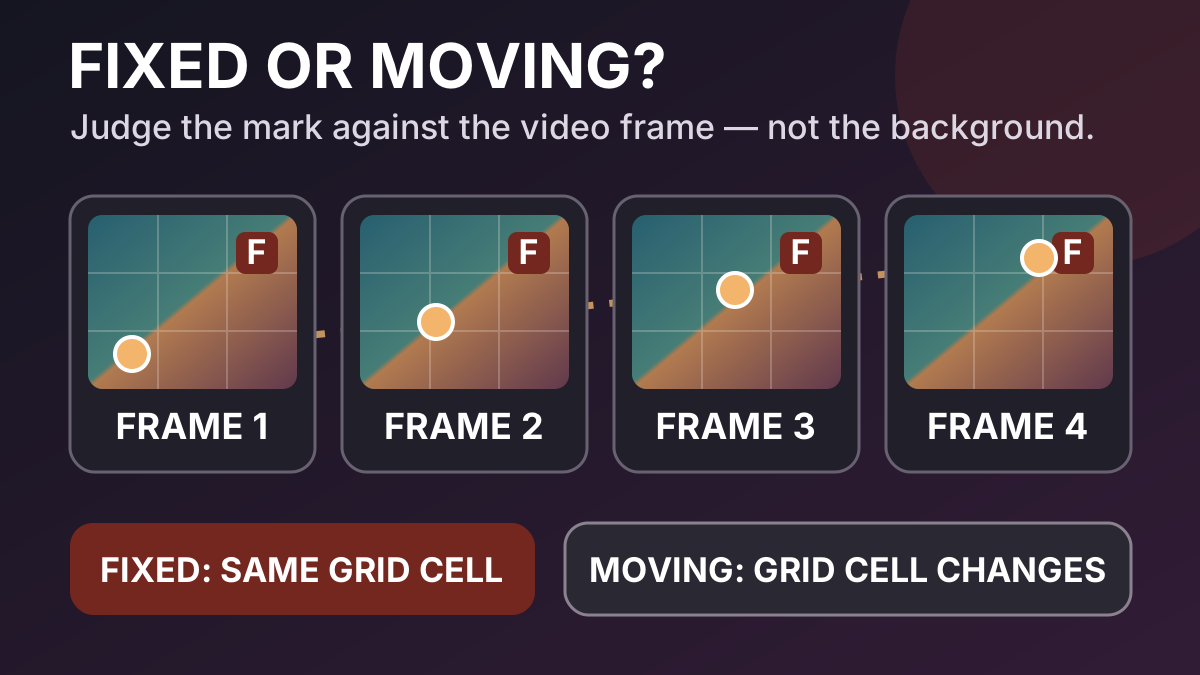
A camera can pan across a city while a channel logo stays locked to the top-right corner. The background moves, but the logo does not move relative to the video frame. In another clip, a watermark may drift over a face even while the camera is still. The picture looks calm, but the mark is moving.
That distinction decides whether one fixed removal region can describe the job. Judge the mark against the frame edges, not against the scenery behind it. Then separate two questions: where the mask must be on each frame, and how the covered pixels will be reconstructed.
Judge the mark against the frame, not the background
Imagine every frame has its own coordinate grid. The left edge is always zero, the right edge is always the full frame width, and the same rule applies from top to bottom. A mark is spatially fixed when the smallest rectangle containing all its visible pixels stays in the same region of that grid for the part of the video you plan to process.
This definition produces some results that initially feel counterintuitive:
- A corner logo over a fast handheld shot can still be fixed. The scene moves underneath it, but its distance from the top and right edges remains constant.
- A timestamp can change every second and remain a fixed-region mark. Its characters change, but the text stays inside one stable area.
- A translucent mark can fade in and out without moving. Opacity is changing; position is not.
- A mark attached to a walking person is moving even if it stays aligned with that person. Its coordinates change as the person crosses the frame.
Do not track one easy point such as the center of the first letter. Watch the full visible footprint, including outlines, shadows, glows, and the widest version of changing text. A box that follows the center but clips an outer edge is not complete coverage.
Also define the time range before classifying the mark. A logo can remain fixed for one shot and jump to a different corner after a cut. It is fixed within each shot but not fixed across the combined sequence. That is a segmentation problem, not evidence that one global box can follow it.
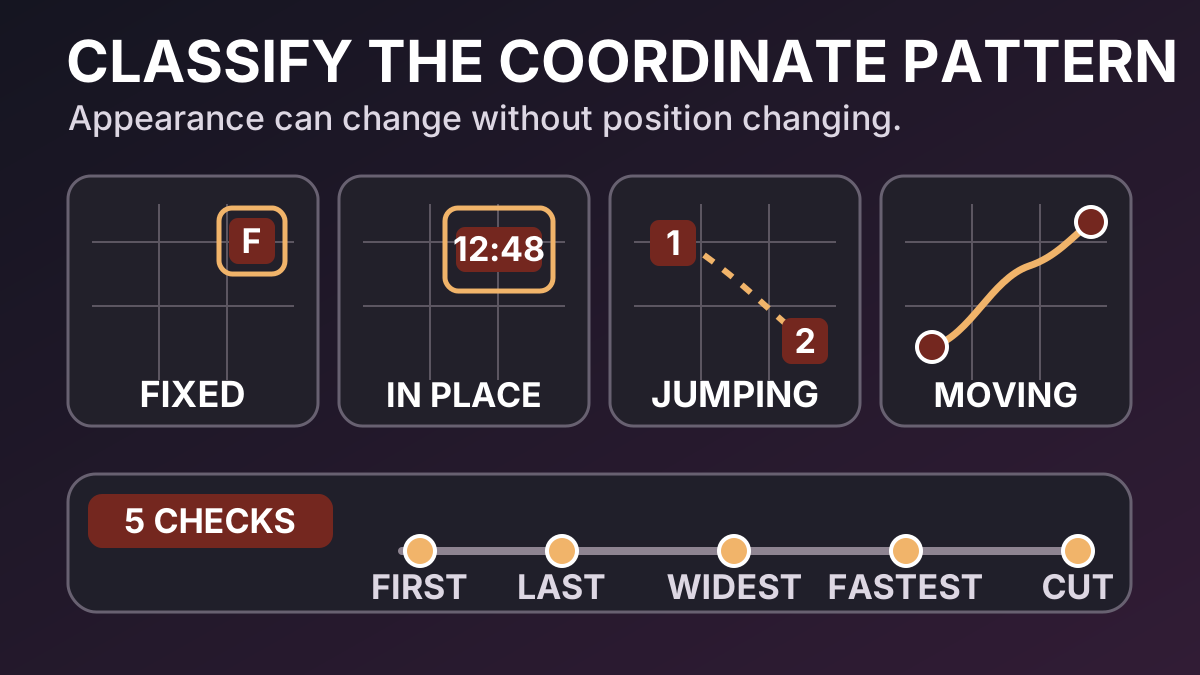
Four patterns: fixed, changing-in-place, jumping and continuously moving
These four patterns cover most practical diagnoses. Treat them as coordinate behaviors rather than brand or design categories.
| Pattern | What changes over time | Does one fixed region describe the full interval? | Typical next step |
|---|---|---|---|
| Fixed | The background may move, but the mark footprint stays inside the same frame region | Yes, if the complete edge treatment remains covered | Test a tightly fitted static mask on a representative segment |
| Changing in place | Wording, digits, opacity, color, or rotation changes inside a stable outer envelope | Sometimes; classify by the largest visible footprint, not one frame | Scrub every state and expand only enough to contain the full envelope |
| Jumping | The mark occupies one stable location, then appears at a different location | No single small region describes every state | Split at the jump or use separately timed masks |
| Continuously moving | The mark follows a path, scales, rotates, or changes shape while its coordinates evolve | No | Use keyframes or tracking, with manual checks at difficult frames |
“Changing in place” deserves its own category because appearance and location are different dimensions. A timestamp that advances from 09:59 to 10:00 may grow wider. A rotating badge may extend beyond its first-frame corners. A pulsing glow may create visible pixels outside the solid logo. The region is fixed only if one reasonably tight outer envelope contains every state.
“Jumping” is different from continuous motion. A station bug that switches corners at a commercial break may need two shot-specific setups rather than a tracker. Conversely, a diagonal watermark that glides across the picture cannot be reduced to a series of unrelated fixed states without creating gaps or abrupt mask changes.
Scene edits can reset the diagnosis. If a clip contains several cuts, label each shot independently before deciding whether to split the work. A mask that is correct before the cut says nothing about the coordinate system or covered content after it.
A five-point scrub test before you select a tool
You do not need to inspect every frame before making an initial classification, but you should not trust only the thumbnail or first visible moment. Start with five deliberately chosen checks:
- First complete appearance. Pause after the mark has fully faded in. Draw or imagine the smallest rectangle that contains its visible edges.
- Last complete appearance. Compare its distances from the same frame edges. A small drift over a long interval is easy to miss at normal speed.
- Widest or most transformed state. Find the longest timestamp, largest glow, strongest rotation, or widest wording. Confirm that the outer envelope still fits.
- Fastest apparent movement. Scrub the section where the mark, attached subject, or camera changes most quickly. Background motion alone should not move a screen-anchored overlay.
- Both sides of every nearby cut. Check the last frame before the edit and the first stable frame after it. Treat a location change across the cut as a new segment.
Record the result in frame coordinates, not with descriptions such as “next to the building” or “above the actor.” Those scene references move. A useful note is closer to “the complete mark remains inside the top-right region throughout shot 3.”
After the five-point pass, play the interval at normal speed and watch the mark in peripheral vision. Scrubbing reveals positions; playback reveals brief moves, fades, and jumps that your chosen stills may have missed. If any visible pixel leaves the proposed region, the fixed-box hypothesis has failed for that interval.
Why one oversized box is not motion tracking
It is tempting to draw one rectangle around the entire path of a moving watermark. That may keep the mark inside the box, but it changes the restoration problem on every frame.
Suppose a small logo travels from the lower-left to the upper-right. A path-sized rectangle can cover a large part of the picture even though the logo occupies only a small part at any one moment. The workflow must then replace unrelated faces, text, hands, or textures inside that rectangle. The mark is “covered,” but far more real image information is being discarded than necessary.
A tracked mask aims to keep the replaced area aligned with the moving target. An oversized static region stays still and replaces the whole envelope. These are not equivalent operations:
- tracking changes the mask position or shape over time;
- reconstruction estimates the content inside the current mask;
- a larger mask gives reconstruction less untouched evidence and more scene structure to invent;
- covering the full path can damage subjects that were never hidden by the watermark.
Adobe's Content-Aware Fill documentation makes the same separation concrete. Its moving-footage example first instructs the editor to track the mask so it moves with the object, then generates a fill that analyzes the current and surrounding frames. Mask motion and pixel synthesis cooperate, but one does not replace the other.
Use a static envelope only when it remains reasonably tight around every state. If the envelope becomes a corridor across the scene, stop and choose a motion-aware or shot-specific workflow.
What a moving-mark workflow needs
A moving mark creates at least two technical tasks: describing its changing boundary and rebuilding the newly exposed image area. A capable workflow may need several of the following:
- Keyframes: manually placed mask positions or shapes at important moments, with interpolation between them.
- Mask or planar tracking: motion analysis that follows the target or the surface carrying it.
- Shape changes: adjustments for scaling, rotation, perspective, or a mark that deforms.
- Occlusion handling: decisions for moments when another subject passes in front of the mark or the mark passes over a critical subject.
- Shot boundaries: independent tracking and reconstruction after cuts, dissolves, or layout changes.
- Reference frames: clean or manually repaired examples when surrounding frames do not provide enough reliable background evidence.
- Frame-by-frame review: checks for drift, clipped edges, flicker, and repair detail that moves differently from the scene.
Tracking can also fail. Low contrast, motion blur, compression, partial occlusion, repeated patterns, and sudden acceleration can move a mask away from the true boundary. Automatic tracking should therefore be treated as an editable estimate, not a final verdict.
Reconstruction has separate failure modes. Adobe notes that Content-Aware Fill can use multiple reference frames when lighting or camera angle changes, and that complex backgrounds may need manual refinement. A perfectly tracked mask can still produce an implausible fill; a visually plausible fill can still be placed by a drifting mask. Review both geometry and image quality.
The cleanest option may be outside removal software. If the authorized source project still contains the overlay as a separate layer, disable that layer and export again. That preserves the original pixels instead of estimating them. Cropping, covering with an intentional graphic, or replacing the shot can also be less destructive than forcing a poor tracked repair.
Where Markswipe’s fixed boxes fit
Markswipe's manual boxes describe fixed frame regions. The same selected coordinates apply through the processed interval; they do not follow a mark that leaves the selected area. This fits small, localized marks whose complete visible footprint stays in one region, even when the scene behind them moves.
Good candidates include a station bug locked to one corner, a fixed timestamp region, or a small authorized overlay that changes wording without changing its outer coordinate envelope. You can box a mark that stays in one region and judge a representative segment before processing more footage.
For a channel bug or logo, first verify that its outline, shadow, and every visible state stay in the proposed corner region. Then use the focused workflow to remove a fixed corner logo. Markswipe does not claim to identify every brand automatically, and its fixed boxes do not provide moving-watermark tracking.
If the mark jumps after a cut, split the authorized source into shot-level intervals or use an editor with separately timed masks. If it moves continuously, use keyframes or tracking. Do not compensate by selecting most of the frame: that sacrifices unrelated source pixels without making the mask follow the target.
Common questions
If the camera moves, is a corner logo a moving watermark?
Not if the logo stays at the same frame coordinates. Compare its distance from the frame edges. The landscape, actor, or camera can move while a screen-anchored overlay remains fixed.
Is a changing timestamp fixed or moving?
It is usually changing in place when all digits remain inside one stable region. Check the widest value, separators, shadows, and any fade or animation. If the timestamp itself slides or jumps, it is no longer fixed for that interval.
What if the watermark fades in and out?
Opacity changes do not by themselves create motion. Inspect the strongest and weakest visible states because a glow or blended edge may extend beyond the solid center. The full visible envelope must remain inside the selected region.
Can I use two fixed regions for a watermark that switches corners?
Only if the workflow can time those regions to the correct intervals or if replacing both regions throughout the clip would not remove unrelated content. A safer general approach is to split at the switch and treat each segment independently.
Does automatic object tracking guarantee a clean result?
No. Tracking estimates mask geometry; restoration estimates the missing picture. Either can fail, and motion blur, occlusion, lighting changes, cuts, or complex texture can challenge both. Inspect the mask edge and the repaired image separately.
How tight should a fixed box be?
Use the smallest stable region that contains the full mark in every relevant frame, including glow, shadow, outline, and its widest changing state. A clipped box leaves fragments; an unnecessarily large box replaces more unrelated image information.
When should I return to the source instead?
Return to the source project whenever the mark is still a separate authorized layer, the target crosses a face or critical text, tracking repeatedly drifts, or reconstruction changes important visual meaning. A clean re-export is evidence-preserving; removal from a flattened file is an estimate.
Only edit video you own or are authorized to change. Do not remove attribution, provenance, safety marks, ownership signals, or legally required disclosures.
How this guide was checked
- The distinction between fixed and moving marks was checked against frame-coordinate behavior, not camera or background motion.
- The tracking, surrounding-frame reconstruction, and reference-frame claims were checked against Adobe's official Content-Aware Fill documentation.
- Markswipe's boundary was checked against its submitted Boxes contract and fixed-mark capability evidence: one coordinate set applies through the processed interval, with no moving-mark tracking claim.
- Both diagrams are original Markswipe graphics. They are conceptual workflow illustrations, not simulated product results or claims of automatic tracking.
- Research and the first drafting pass used AI assistance. The final draft was checked claim by claim against the cited primary source and the product's verified local contract before publication review.
Sources and further reading
Table of Contents
Author
Categories
Tags
More Posts
Hardcoded or Soft Subtitles? A File-First Diagnosis
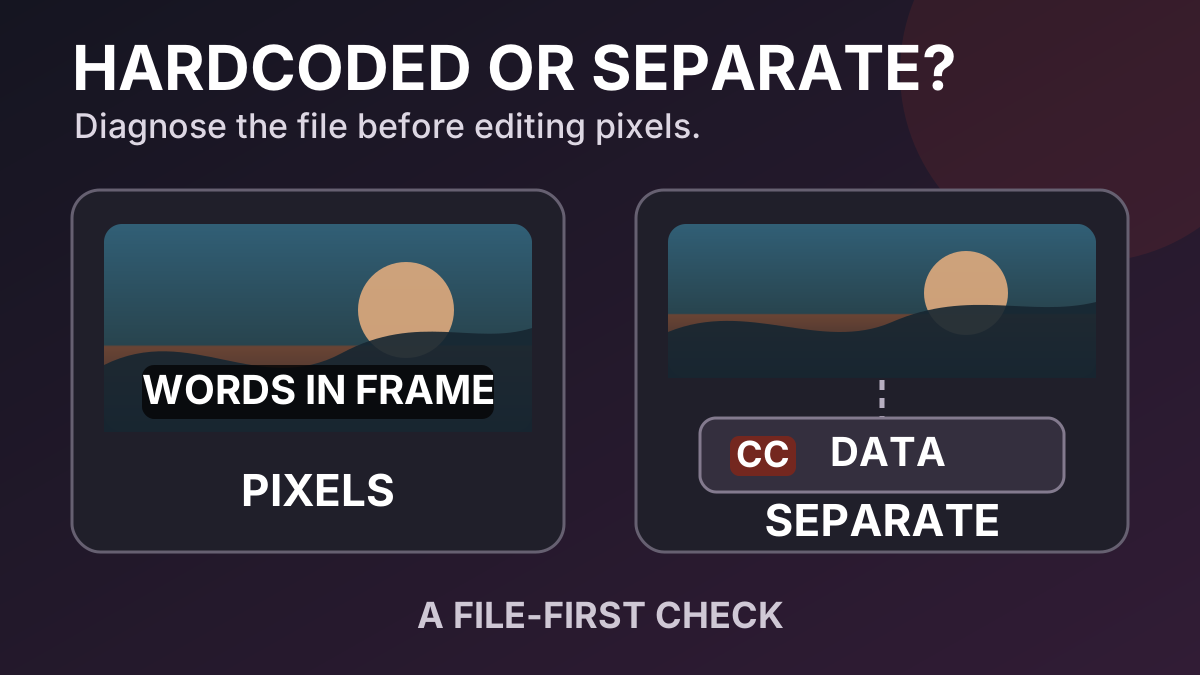
A practical diagnosis for separating burned-in subtitle pixels from viewer-controlled subtitle and caption data before you edit a video.
Why Video Watermark Removal Looks Blurry: A Scene-by-Scene Diagnosis
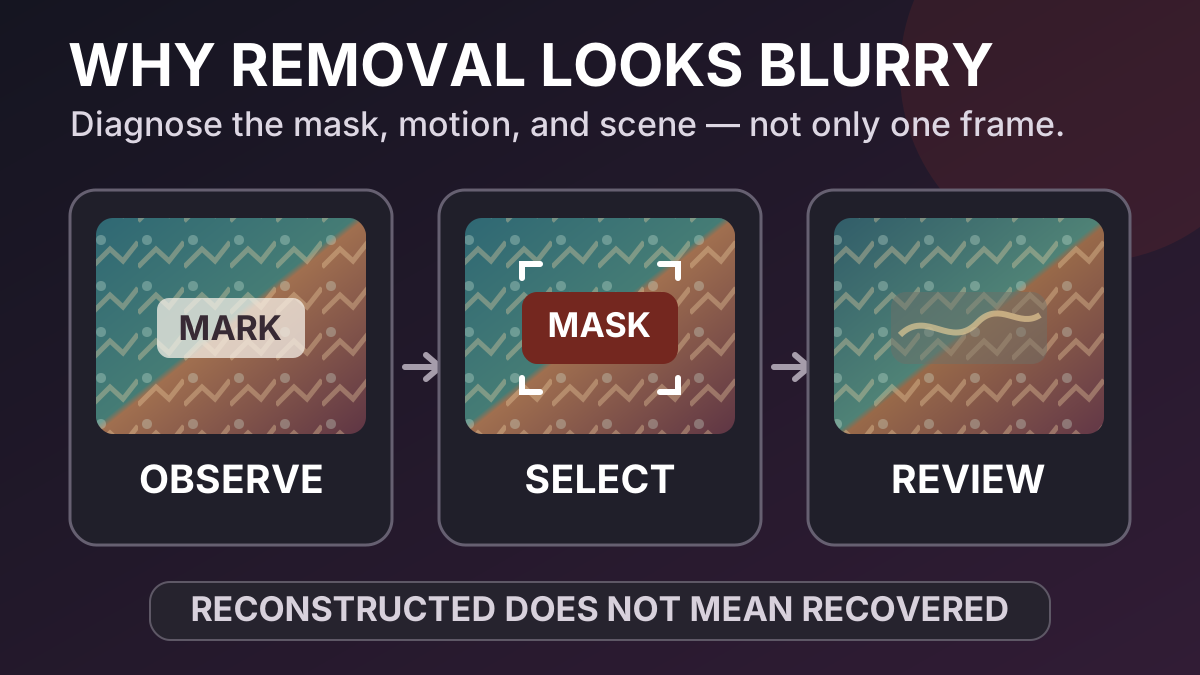
A practical quality checklist for understanding blur, smearing and temporal artifacts after a visible watermark is removed.